

Face recognition
Employees and labourers mark attendance with a look at the device. No cards to lose, no one to punch in on their behalf.

GeoTag Attendance System
GeoTag is employee attendance and payroll software with face recognition, fingerprint and GPS mobile attendance, shift and overtime control, employee salary, labour wages and contractor monitoring — one connected platform for construction, manufacturing, facility and other teams working across more than one site.
Made for teams that work across sites
Before & after
Registers, phone photos and hand-made wage sheets cost hours and still leave room for error. Here is what changes when attendance, shifts and pay live in one system.
Attendance methods
Biometric devices at the gate, GPS on the phone, and a controlled manual option — all feeding the same attendance record.
Employees and labourers mark attendance with a look at the device. No cards to lose, no one to punch in on their behalf.
A second biometric option for sites where fingerprint devices work best, recorded to the same central attendance.
Employees mark attendance from the mobile app, and only when they are inside the boundary set for their assigned site.
Authorised users can record or correct attendance when needed. Each change is tracked with the user’s details, so edits stay visible instead of disappearing into the record.
A day in the app
Scroll through a real shift in the GeoTag employee app — from the first tap to the clock-out, with leave, advances and loans one tap away.
First thing in the morning
Employees open the app to today’s shift, their assigned site and a single button to check in. Leave, advance and loan requests sit right underneath.
At the site
Attendance is accepted only when the phone is inside the boundary set for that site. Outside it, the check-in simply isn’t allowed.
Checked in
The check-in is recorded against the employee’s shift and appears straight away in the site and admin views — nothing to retype later.
During the shift
A live timer runs against the scheduled shift, so employees and supervisors can see how much of the day is done.
End of shift
Checking out closes the day. Working hours and overtime follow the shift rules you configured, ready for the wage and salary records.
Any time
Present, absent, late and leave days are laid out on a calendar, and employees can apply for leave without going through an administrator.
Live view
Attendance from the devices and the mobile app lands in one central record, so you can look at any site without calling anyone.
Check attendance and workforce availability for a single location or across all of them.
Manual attendance changes are tracked with the user’s details, so corrections stay accountable.
Authorised managers monitor assigned sites and attendance from the mobile app.
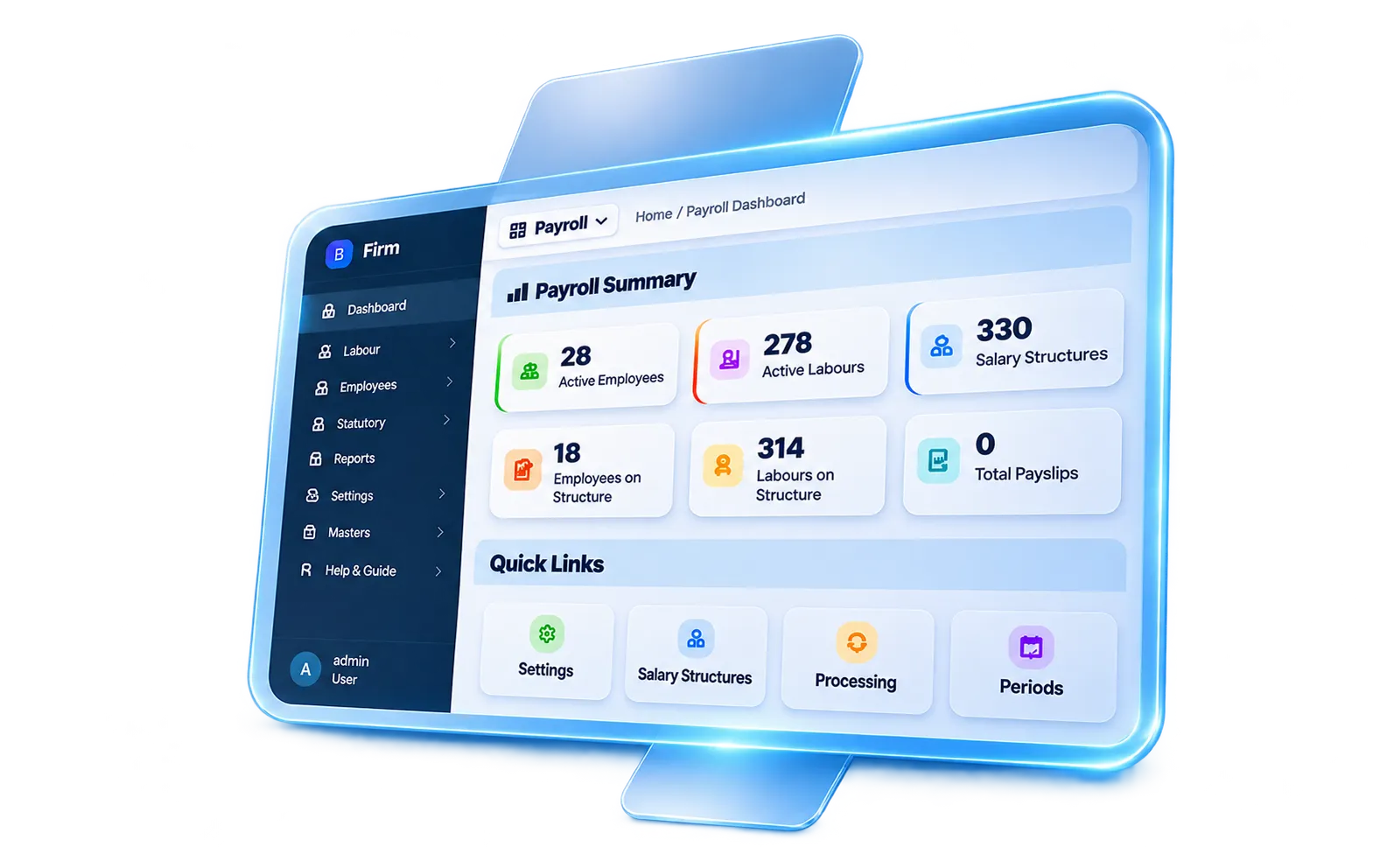
Payroll
Monthly salary for employees. Daily or weekly wages for labour. Advances, loans, bonuses and PF/ESI handled alongside — in the same system that holds the attendance.
Check-ins from devices and the app are in the system, with shifts and overtime applied.
Look over salaries, wages, advances, loans and allowances site by site or contractor by contractor.
Payments stay organised in salary and wage records you can look back on.
| Worker | Days | Rate / day | Advance | Payable |
|---|---|---|---|---|
| Suresh P. | 6 | ₹650 | ₹500 | ₹3,400 |
| Anitha K. | 5 | ₹600 | – | ₹3,000 |
| Rafeeq M. | 6 | ₹700 | ₹1,000 | ₹3,200 |
| Total | 17 | ₹1,500 | ₹9,600 |
| Day | In | Out | Hours | Overtime | Status |
|---|---|---|---|---|---|
| Mon | 08:02 | 18:12 | 9:10 | 1:10 | Present |
| Tue | 07:58 | 17:04 | 8:06 | – | Present |
| Wed | 08:10 | 12:30 | 4:20 | – | Half day |
| Thu | Approved leave | Leave | |||
| Fri | 08:01 | 17:00 | 8:00 | – | Edited |
Shift rules
Set up the shifts your sites actually run, then let attendance and overtime follow them.
Define shift timings and working-hour conditions, and assign them to employees and labourers.
Configure the punching requirements and the conditions that make a day a half day.
Overtime is tracked against configured schedules, with attendance and overtime records viewable by shift.

Multi-site & contractors
Whether your workforce is split across two locations or twenty, everyone stays in a single record. Move people between sites without starting over, and see who each contractor has on the ground.
Employee information and records stay attached to the profile when someone moves to another site.
Maintain contractor details, associate employees and labourers, and track daily attendance under each contractor.
| Contractor | Site | Deployed | Present today |
|---|---|---|---|
| Nair & Sons | Site B | 42 | 39 |
| Metro Steel Works | Site C | 28 | 27 |
Access control
Create user accounts, assign them to one site or several, and choose exactly which functions each person can use.
| What they can do | AdministratorAll sites | Site managerAssigned site | Reports-only userSame site |
|---|---|---|---|
| Mark and edit attendance | – | ||
| Configure shifts | – | ||
| Manage wages | – | ||
| View reports | |||
| Create users and set permissions | – | – |
Reports
Organised reports for attendance, hours, wages and workforce distribution, so planning is based on records rather than recollection.
Attendance and availability for each work location.
Workforce reports by department.
Attendance and working-hour reports by shift.
Employee information grouped by designation.
Monitor the workforce assigned to each project.
See workforce deployment under each contractor.
Monitor salary and wage records.
Working-hour and overtime records.
Categorise employees by language or mother tongue.
Everything included
Eleven connected modules, from biometric attendance to the administrator’s mobile app. Open any one to see what it covers.
Face recognition and fingerprint authentication, plus tracked manual entry for authorised users, all in centralised attendance records.
Individual records for employees and labourers, organised by site, department, designation, project and contractor.
Create shift types, set working hours, punching requirements and half-day criteria, assign shifts, and track overtime.
Monthly salary for employees, daily or weekly wages for labour, with advances, loans, bonuses, allowances, PF and ESI.
Attendance from the mobile app with location verification against configurable site boundaries, running alongside the biometric system.
Employees mark attendance, apply for leave, submit loan and advance requests, and view their attendance information.
Maintain contractor records, link workers to contractors, and track daily attendance, availability and work progress information.
Manage multiple locations from one platform, transfer employees without duplicate registration, and track site-wise salary and wage information.
Site, department, shift, designation, project and contractor reports, plus wage, salary, overtime and working-hour records.
Create user accounts, assign site-specific responsibilities, and control permissions for attendance, wages, shifts and reports.
Monitor attendance and wage records, view site-wise workforce information, access reports and manage employee transfers, according to assigned permissions.

Mobile app
The same app serves the people on site and the people who run it, with each user seeing what their role allows.
FAQ
Something not covered here? Our team will walk you through it.
Through face recognition or fingerprint authentication on biometric devices, or through the mobile app using GPS location verification. Authorised users can also enter attendance manually.
No. Every manual attendance modification is tracked with the details of the user who made it, giving administrators visibility into changes.
You transfer them. They don’t need a new registration, and their existing information and records stay with their profile.
Yes. Employees get monthly salary management; labourers get configurable daily or weekly wage structures. Advances, bonuses and other payments are supported for both.
Yes, PF and ESI management is part of employee salary management.
Yes. Role-based access lets you assign people to one or more sites and control permissions for attendance, wages, shifts and reports — for example, one manager can run attendance and wages for a site while another at the same site can only view reports.
Yes. Employees use it for GPS attendance, leave, loan and advance requests. Authorised administrators and managers use it to monitor sites, wages and reports, and to manage transfers.
Request a product demonstration and our team will show you the modules that matter for your sites and workforce.
Get started
See how GeoTag can handle attendance, payroll and site administration for your organisation.