
 🏫
Departments and courses
Create and manage multiple departments and the courses under each.

🎓E-Learning Management Platform
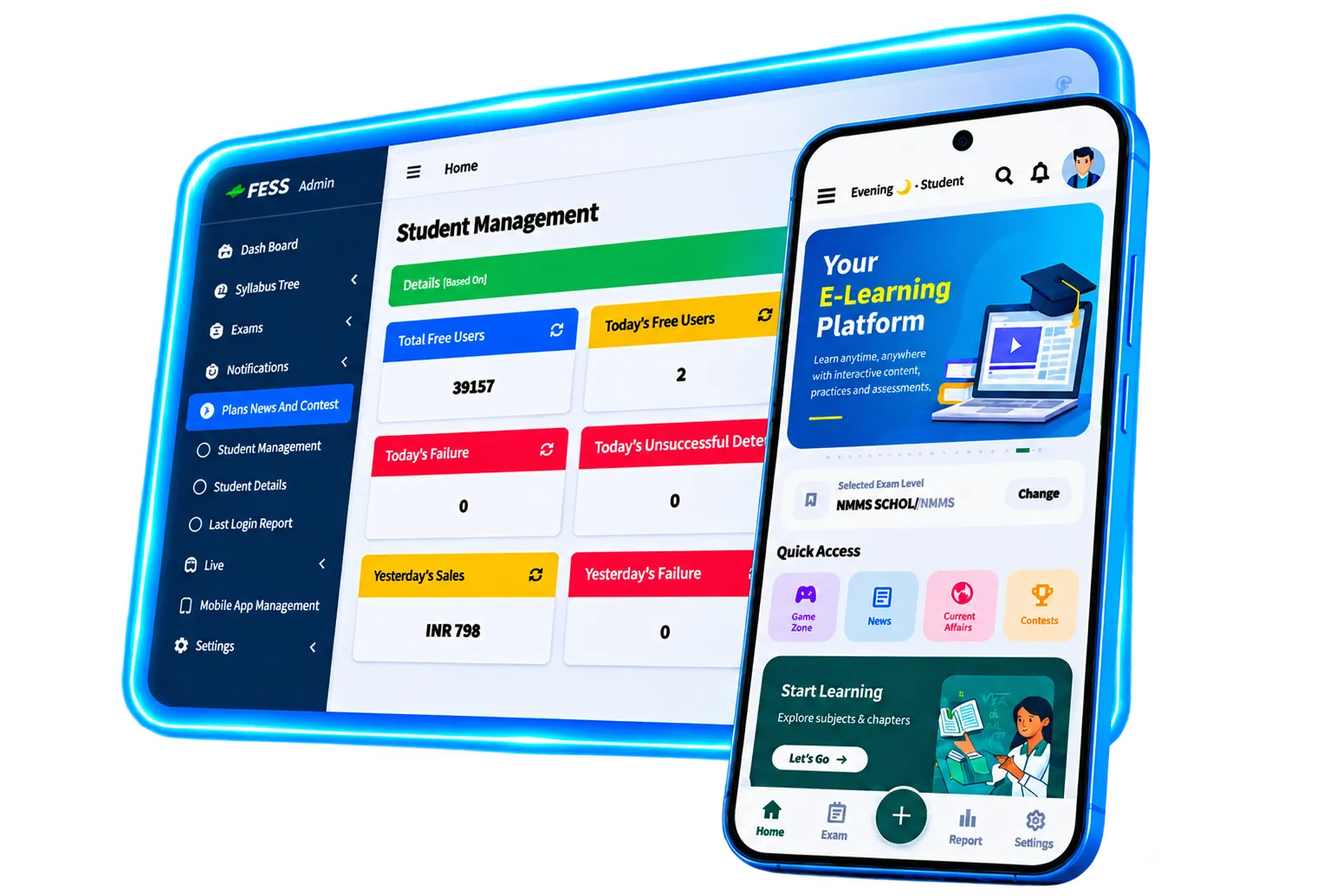
Fleming's e-learning management software (LMS) brings courses, video and audio lessons, live classes, tests, daily games and student reports into one platform for institutions in Kerala and across India, with a web admin panel and Android and iOS apps for learners.
Structured learning
Set up departments, add courses under each, and arrange content in a clear hierarchy of subjects, topics and chapters. This course management system lets you rearrange or update content whenever the syllabus changes.
🏫Create and manage multiple departments and the courses under each.
 🗂️
Subjects, topics, subtopics and chapters keep materials easy to find.
 ✏️
Add, edit, rearrange and update educational materials at any time.
 ❓
One central collection of questions that feeds different assessments.
Learning modes
Learners pick the format that suits them. Supported videos can also be downloaded for offline viewing.
Text-based lessons follow the course structure, so students always know which chapter they are on.
Recorded lessons explain concepts visually, and supported videos can be saved for offline viewing.
Students listen to explanations while commuting or revising, without needing to look at the screen.
Learners engage with the content by writing, which reinforces what they have just studied.
Schedule live classes with supported meeting or streaming platforms. Students get alerts, and recordings are available where supported.
Examinations
Online exam and test series software with seven assessment formats, giving students many chances to check their understanding.
Check understanding right after a chapter is finished.
Assess selected portions of a course.
Simulate exam conditions with structured tests.
Give access to questions from earlier exams.
Organise several assessments to track preparation.
Practise questions from any selected part of the structure.
Add images and visual references, useful for diagrams, maps and figures.
Engagement
Games, streaks and live contests encourage students to come back every day.
Daily question-based activities students can join in minutes.
Earn rewards for activity and track consecutive days of learning.
Run competitions with results, and let eligible students redeem points for available items in the app.
Insight and access
Weak area: Mathematics · Algebra. Suggested: revision mode on 2 chapters.

Current affairs, career news, editorials and important learning updates.

Schedule sessions, alert students and share recordings where available.
Administration
Authorised administrators manage the whole learning environment from one web panel, and can change structure, content, tests and settings as needs evolve.
 📊 Results at a glance📥 Bulk Excel upload🔔 Announcements
Mobile apps
Dedicated apps for learners, with student-specific content and plan access.
Self-registration through mobile number verification.
PIN or password, plus fingerprint and face authentication on supported devices.
Push notifications, daily learning alerts and downloaded videos.
Students use dedicated Android and iOS apps. Administrators manage everything through a web-based panel.
Yes, for supported video lessons. Students can download them for offline viewing.
Yes. Questions can be uploaded in bulk using supported Excel templates, and image-based questions are also supported.
Yes. Subscription plans control access to specific courses and chapters, and to video, audio, live sessions and other features.
They register with mobile number verification, then use a PIN or password. Fingerprint and face authentication work on supported devices.
Yes. The learning structure, content, assessments and platform settings can be configured to your institution's requirements.
Request a product demonstration and we will show the modules that matter for your courses and students.
Bring courses, students, assessments and learning activities together in one connected platform.